

STATUS DISPLAY
MONITORING THE HIDDEN DUST COLLECTOR
In the previous chapter, I described the plan to connect the woodworking machines, dust collector, and Blast Gates through the iVAC system.
When a machine is switched on, the gate for that duct opens, the unused gates close, and the dust collector in the basement starts automatically.
There has already been an enormous amount to prepare, with plenty still left to do. Yet written out in just a few lines, the whole thing looks remarkably simple.
In any case, the dust collector at atelier summer will be installed in a separate basement room, away from the space where the actual woodworking takes place.
Moving the large and noisy dust collector out of the workshop and leaving only the necessary ductwork visible on the first floor was a decision I found quite satisfying, both functionally and visually.
The problem is that the dust collector will not be visible.
Wait, what? I planned everything in advance and went to all that trouble to move it downstairs precisely so that it would not be visible. Why is that suddenly a problem?
The quieter workspace is an obvious advantage, and hiding the rather unsightly dust collector offers considerable benefits in terms of both appearance and space. But not being able to see the current state of the dust collection system at a glance could potentially become a problem.
If the iVAC system works properly, it might seem unnecessary to check it at all. But the more automated a system becomes, the harder it is to completely rule out the possibility of some system error causing things to fall out of sync.
A machine might be switched on while the dust collector remains off.
Or every machine might be switched off while the dust collector continues to run.
If the dust collector were right beside me, I would notice immediately from its sound or vibration. But because it will be in a separate room one floor below, that becomes another problem.
The automation I had worked so hard to create could end up concealing a malfunction and allowing it to grow into a much larger issue.
So!
I decided to build a separate Dashboard that would make the dust collection system’s actual operating state immediately visible.
At first, I thought a single indicator light would be enough.
I considered installing an “ON AIR” sign like the ones commonly seen in broadcast recording studios. When the dust collector started, the ON AIR sign would light up. When the collector stopped, the sign would switch off.
The idea seemed especially appropriate because “ON AIR” and a dust collection system somehow felt like a good conceptual match. I liked it enough to develop the idea quite far.
Functionally, that really would have been sufficient.
But if a device was going to remain permanently installed on one of the atelier walls, perhaps it could serve another purpose during the majority of the time when the dust collector was not in use.
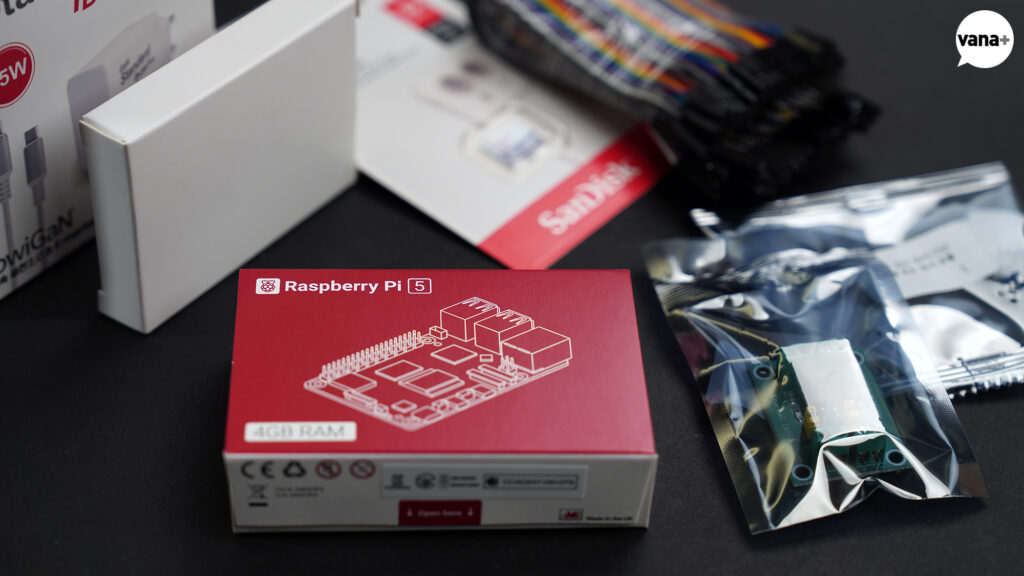
That led me to a Dashboard built around a Raspberry Pi 5 and a small widescreen display.
The Raspberry Pi is a Single-Board Computer smaller than the palm of a hand. Like a conventional PC, it can run an operating system, connect through Wi-Fi and Bluetooth, and use its GPIO pins to communicate with a wide range of external devices.
For a device that performs only a simple function over a long period, a more basic ESP32 might have been another option. But I had never used one before, so I decided to begin with something familiar.
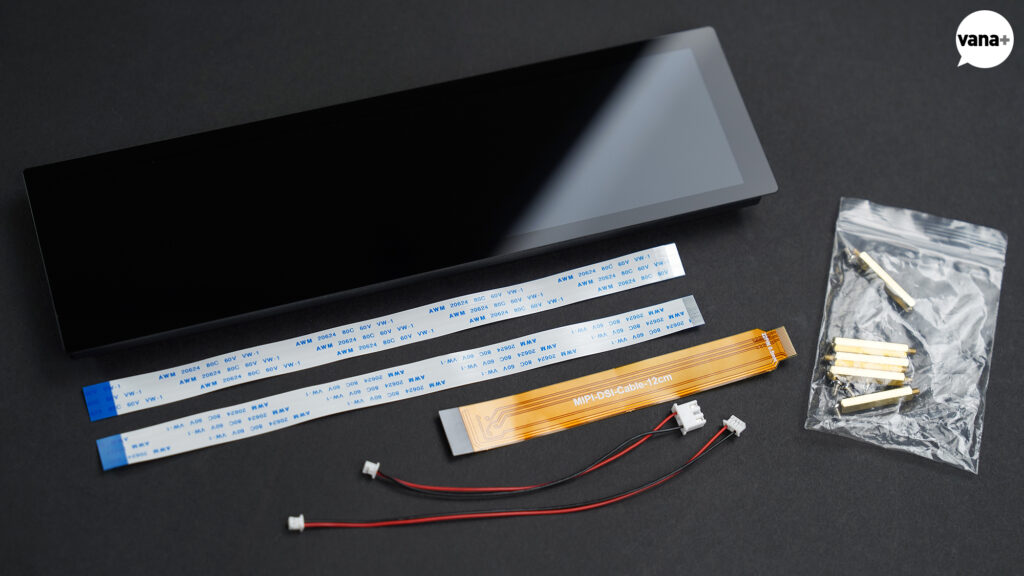
Waveshare 8.8inch DSI LCD
For the display, I chose a Waveshare 8.8inch DSI LCD.
I bought it because a wide display seemed better suited to presenting information than a conventional screen ratio. Looking back, choosing a wide format was a good decision, although the screen itself could perhaps have been a little larger.
Ever since the introduction of the iPhone’s Retina display, my eyes have become accustomed to extremely high-resolution screens, so visible pixels tend to bother me.
This display measures only about 223.5mm diagonally but has a resolution of 1920 × 480px, giving it a pixel density of roughly 225ppi. Unless viewed from as close as a smartphone, the pixels are almost impossible to notice.
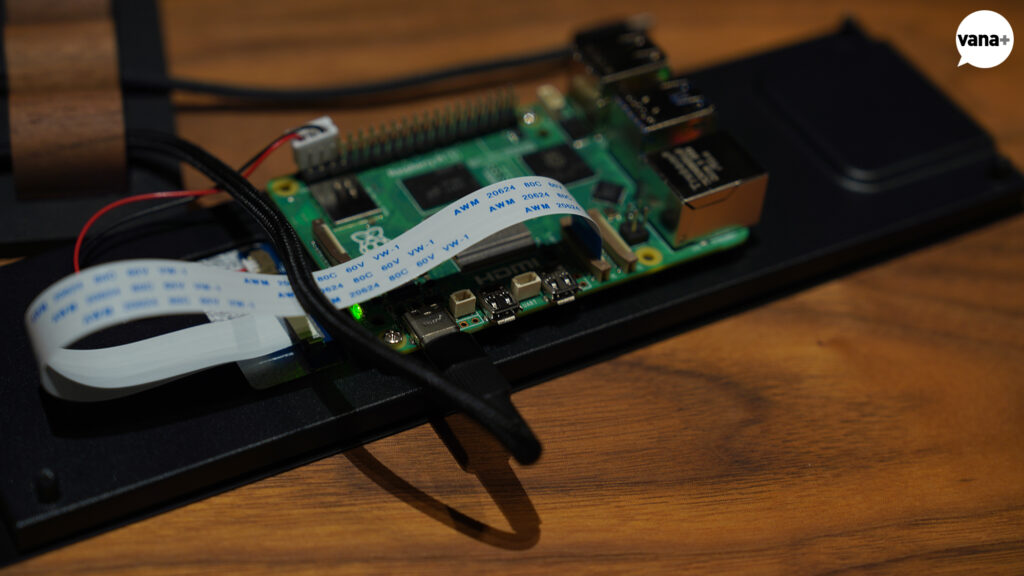
I would eventually need to install a heat sink and fan and connect the sensors separately. For now, I connected only the display, installed and updated the operating system, and began designing the interface for the dust collection system.
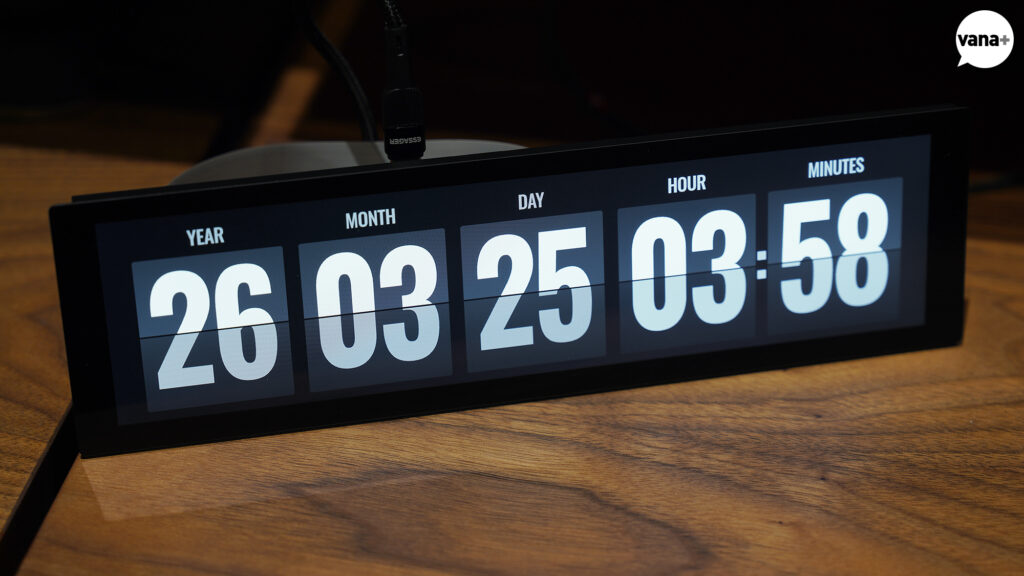
Under normal conditions, the display shows the date and time in the style of a Flip Board like those found in airports and train stations.
When it receives a signal that the dust collector has started, the background changes to a deep orange so that the operating state can be recognized immediately, even from a distance.
The display then reads
ATELIER – DUST – COLLECTION – SYSTEM – STATUS
followed by W O R K S
During a longer operation such as sanding or planing, there would be little point in looking at the word WORKS the entire time. After a short interval, the display therefore returns to the clock while retaining the background color that indicates the dust collection status.
The idea was to make it possible to tell that the dust collector was operating simply by seeing the overall color of the screen, without needing to read its contents from across the room.
I built the interface using HTML, CSS, and JavaScript and configured it to run locally on the Raspberry Pi.
It does not need an internet connection, and the text, colors, and behavior can be changed easily if I want to revise them later.
While refining details such as the motion of the flipping panels and making small adjustments to the letter arrangement, I also worked on adding another function.
Because I intend to leave the system powered on 24 hours a day, 365 days a year, the display should switch off at night or whenever I am away from the atelier. I therefore decided to connect an Ambient Light Sensor.
A small BH1750 light sensor could measure the surrounding brightness and switch the display on or off according to a set of conditions.
Woodworking sessions may continue late into the evening. And in the long term, woodworking may not be the only activity taking place in the atelier. Rather than forcing the screen to switch off at a fixed time, it seemed more appropriate to control it according to the actual brightness of the space.
As the project became more enjoyable, I was almost tempted into adding even more features.
Perhaps the screen could display the weather. Perhaps I could add an air-quality sensor and measure the fine dust inside the workshop.
In the end, I resisted those temptations and returned to a simpler approach focused on the essential functions, reducing the number of situations in which errors could occur.
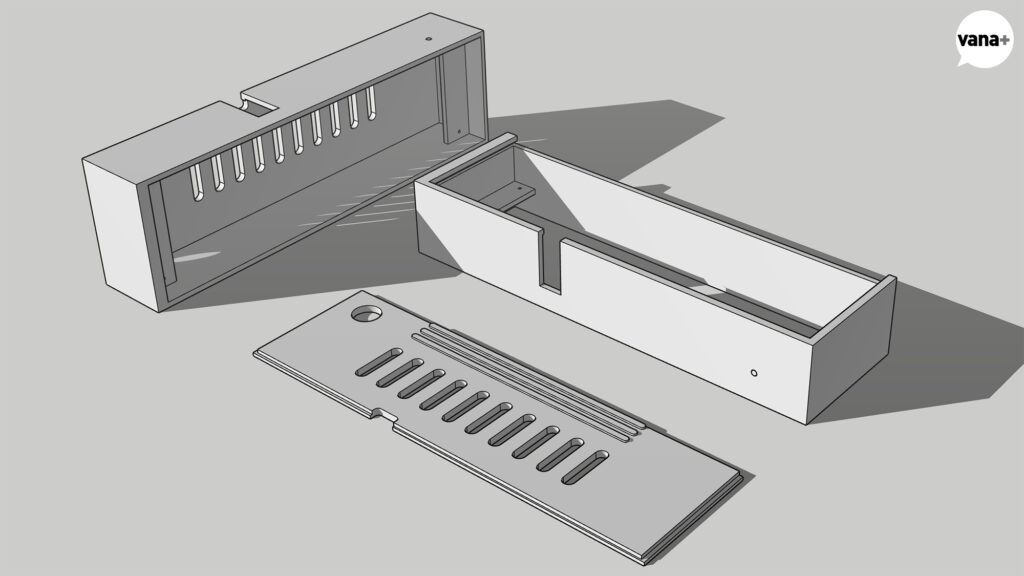
The finished exterior will eventually be covered in solid walnut. But I first needed a case that could hold and organize the components, so I created a simple model and began producing test prints with a 3D printer.
The initial design was kept as simple as possible, satisfying only the functional requirements.
The final case will probably be printed in PETG, which is relatively rigid and resistant to heat. For now, I produced several PLA prototypes and used them to refine the dimensions.
Even if the rear became somewhat thicker, I wanted the front to expose only the display and the thickness of the solid wood. I tried to arrange everything as compactly as possible.
But then the power connection became a problem.
Because the Raspberry Pi’s USB-C power port faced toward the lower side of the board, I could not find a clean arrangement no matter how I positioned it.
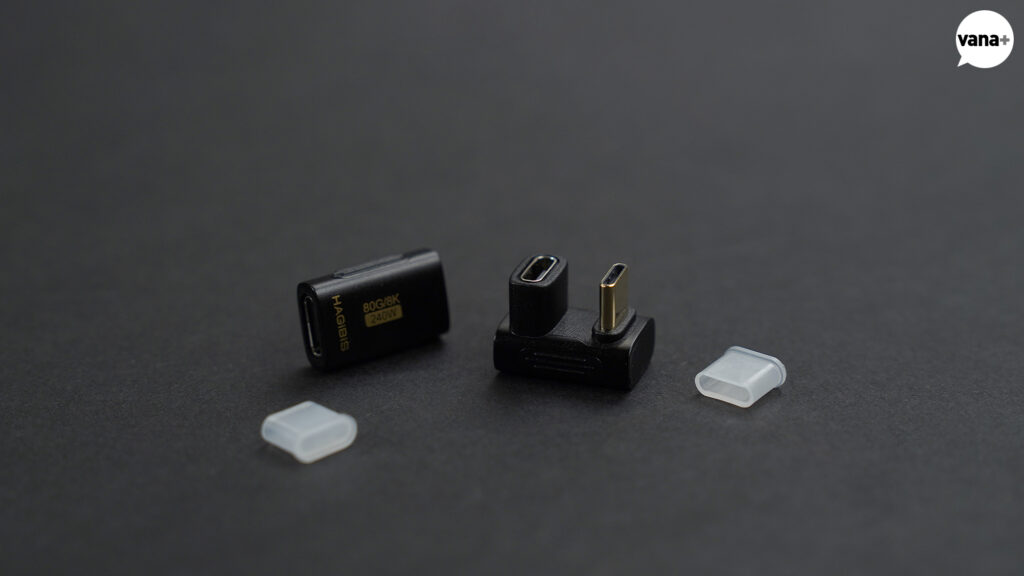
For a moment, I considered removing the USB-C power connector from the Raspberry Pi board and soldering it back in a different position.
Then I decided to take the easier route.
I quickly ordered two extension adapters, one L-shaped and the other U-shaped.
I planned to use whichever one worked better. After trying various orientations and combinations, I settled on the L-shaped version.
I turned the Raspberry Pi board over and also inverted the display. I then redesigned the case with an opening in its upper section, choosing the arrangement that increased the overall volume as little as possible.
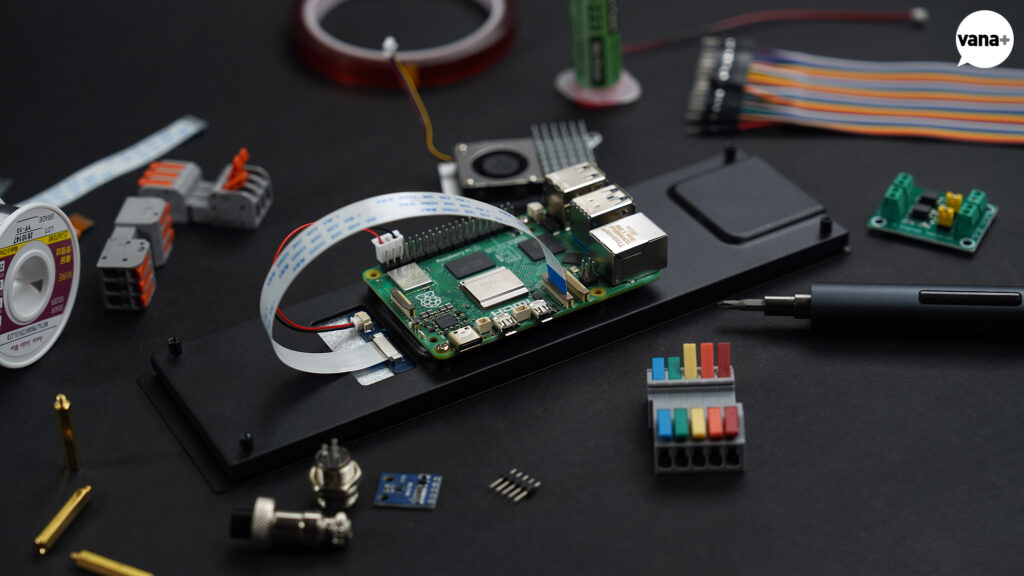
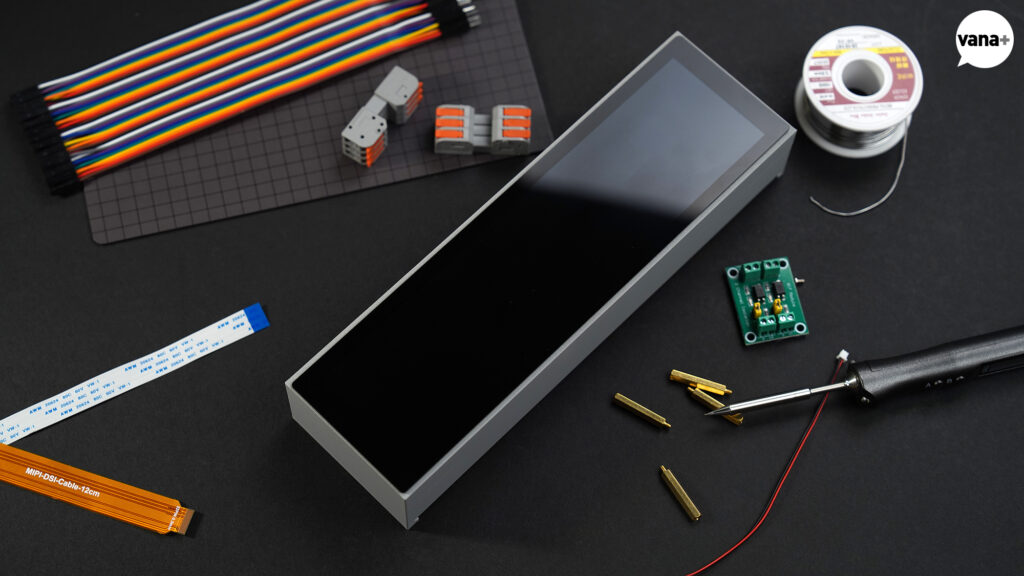
Next came the soldering required to connect the sensor.
It had been a long time since I last soldered anything, and this turned out to be enjoyable as well.
Even soldering irons are remarkably neat these days, with compact models powered through USB.
I bought a Chinese USB-C soldering iron called the Quecoo T85 and used it to connect the BH1750 light sensor. Fortunately, everything worked extremely well.
I added a small hole to the top of the case so that the sensor could receive light from its surroundings.
From the outside, it appears as a tiny, almost unnoticeable opening. Toward the inside of the case, however, I enlarged it into a cone-shaped recess so that the sensor could receive a broader range of ambient light.
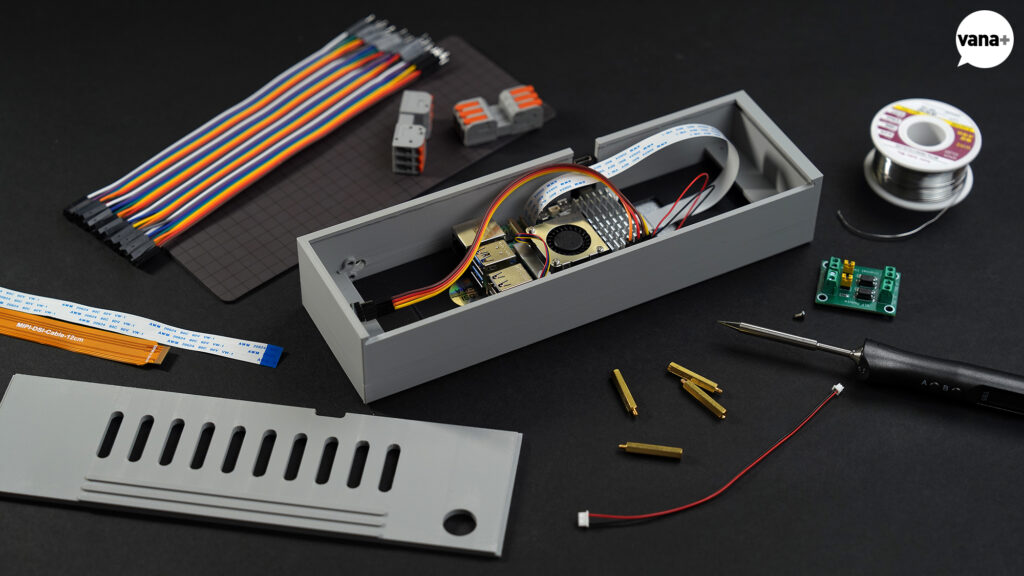
I attached a fan and heat sink with thermal pads to the board, then installed everything inside the temporary PLA case produced with the 3D printer.
When I eventually make the finished walnut case, I should be able to complete it by routing away a small section where the power connector interferes and fitting the assembly into place. It looks as though the result could be a fairly minimal Dashboard.
Now only the most important part remained.
Bringing the dust collector’s actual operating status into the Raspberry Pi.
Initially, I assumed I could take a signal from the wiring connected to the Contactor in the basement dust collector and pass it to one of the Raspberry Pi’s GPIO pins.
The electrical signal from a three-phase 380V dust collector obviously cannot be connected directly to a Raspberry Pi. I had therefore purchased a PC817 Optocoupler in advance to electrically isolate the two circuits.
But after opening the dust collector’s electrical compartment and considering how the iVAC MSC would also need to be connected, it became clear that this required more caution than I had initially expected.
What I ultimately want to verify on the screen is not merely that the MSC has sent an ON command to the dust collector. I want to know in real time that the motor of the dust collector one floor below is actually running. If the command is sent but the dust collector fails to operate, detecting precisely that situation is the reason for building the Dashboard in the first place.
I therefore decided to identify a signal or separate auxiliary contact inside the Laguna C|Flux:3 that changes only when the machine is truly running. I will first determine the voltage and operating method of that signal.
Whether the PC817 can be used, or whether a different kind of isolation circuit will be necessary, can be decided afterward.
UTP cable has already been installed between the first floor and the basement for iVAC control and status monitoring, so the physical wiring is ready.
Once the electrician and I have examined the actual C|Flux:3 circuit, I plan to use the remaining conductors to carry its RUN status to the Dashboard.
In other words, the display, Ambient Light Sensor, and software are almost complete, but the most important signal—the dust collector’s actual operating state—has not yet been connected.
There is no reason to rush this part.
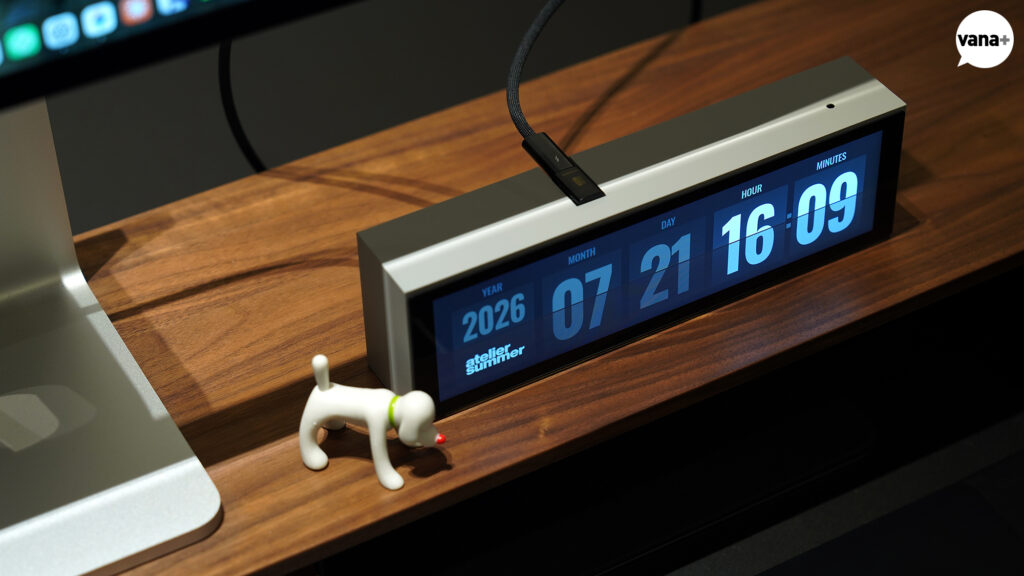
Although it is not yet connected to the dust collector, the device looks remarkably clean once the case is closed.
In the final interface, I reduced the size of the year and displayed all four digits to distinguish it clearly from the other values. I also added the atelier summer logo beneath it.
Even without a connection to the dust collector, it would already work perfectly well as a desk clock.
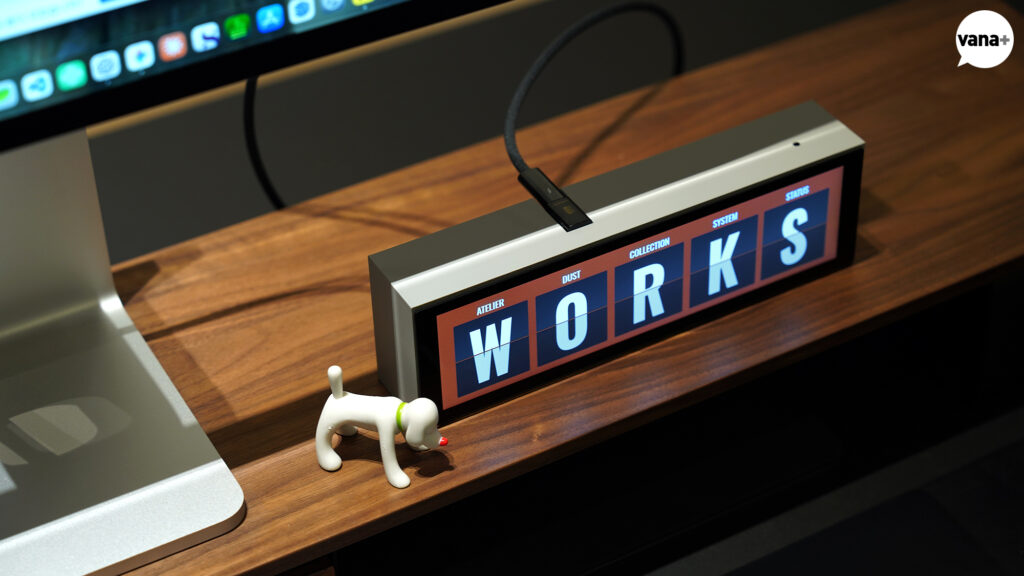
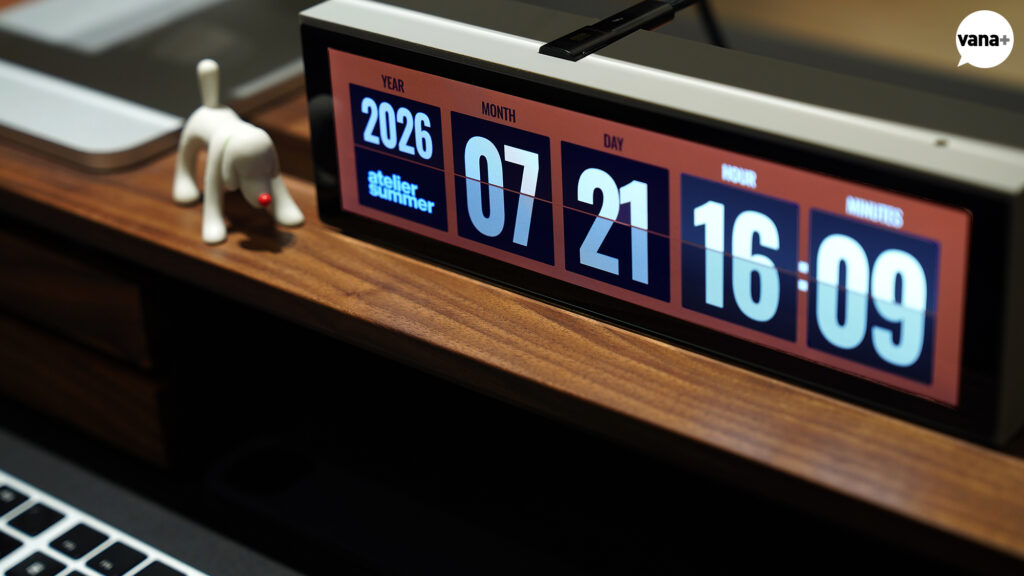
For testing, I configured the interface so that touching the screen makes it appear as though the dust collector has switched on. The orange clock itself looks rather striking in its own right.
The system is already configured to open the Dashboard automatically when power is connected. Once it is installed, it should therefore launch on its own as soon as it receives power, without requiring any separate operation.
The Raspberry Pi currently uses a microSD card for storage. However, because this device is intended to run continuously over a long period, I am also considering replacing it with a small NVMe SSD later.
A microSD card would be perfectly adequate, but for a device that remains in continuous operation, it seems worth considering both the durability of its storage and how easily the system could be restored if something went wrong.
To some people, this may seem like a device taken much further than necessary.
In practical terms, a single indicator light connected to the dust collector would serve the intended purpose.
But perhaps the process of reaching the goal is more enjoyable than the goal itself.
It is a little like travelling: sometimes the most exciting part is not the trip itself, but the time beforehand—imagining it, making plans, and packing with a growing sense of anticipation.
Working out which functions are needed, how they should appear within the space, and how they should feel when actually used—and then making those decisions and organizing them one by one—is tremendously exciting and enjoyable in itself.
Besides, this began as nothing more than a single indicator light showing that the dust collector was running.
Then came the Raspberry Pi.
Then the display.
Then the clock.
Then the Ambient Light Sensor.
Then the case.
And now I have expanded the project yet again, determined to verify even the dust collector’s actual RUN state with complete accuracy.
Once I make the solid-wood case as well, this may become a thoroughly unnecessary exercise in taking an already excessive idea even further.
But honestly, is this not exactly the kind of thing I created an atelier to do?
DUCT SIZES AND ROUTING