

iVAC AUTOMATION
DUST COLLECTION AUTOMATION WITH iVAC
As described in the previous chapter, the large and noisy dust collectors at atelier summer would be placed in the basement rather than in the workspace itself. Only two dust collection lines would rise into the first floor.
One would be the main line connecting several woodworking machines. The other would be a Floor Sweep line for cleaning sawdust and dust from the floor. The latter is a relatively simple system that only needs a switch, so the challenge from this point onward was the main line shared by multiple machines.
It was time to build the dust collection system that would connect to the actual woodworking machines.
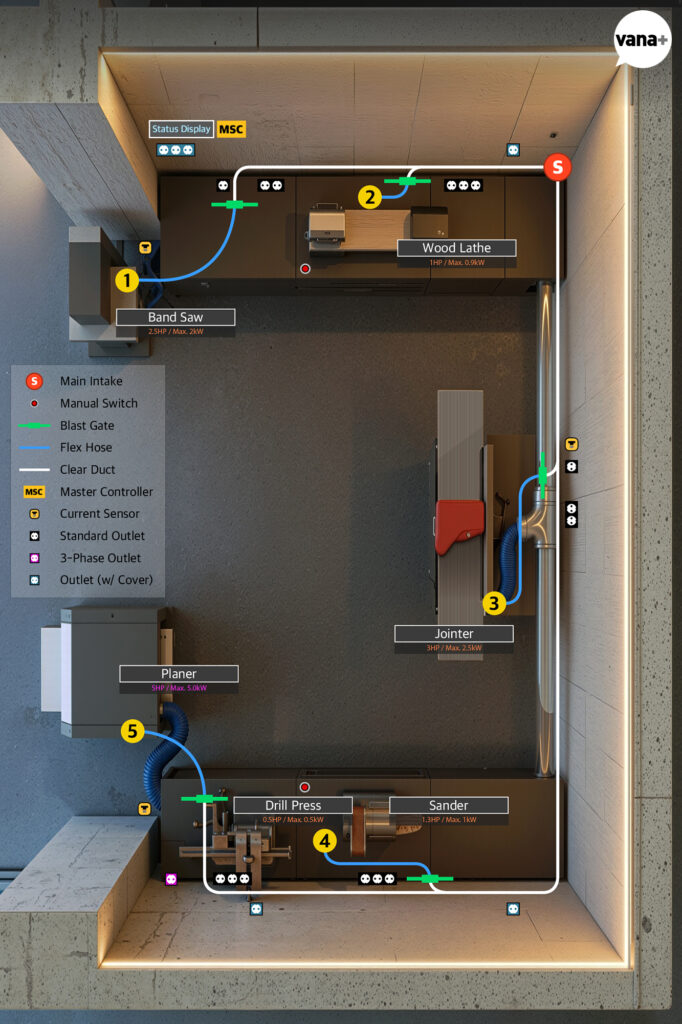
The diagram above shows the dust collection system planned for the area of atelier summer where the large woodworking machines will be installed.
The Main Intake at the upper right is the starting point connected to the dust collector in the basement.
From there, the duct rises and branches in both directions along the wall. In front of each machine, it passes through a Blast Gate and Flexible Hose before connecting to the machine itself.
Six machines will be connected to the dust collection system.
① Band Saw
② Wood Lathe
③ Jointer
④ Drill Press / Sander
⑤ Planer
The Drill Press and Sander will share the same workbench. Neither will be used particularly often, and they are unlikely to operate at the same time, so I planned for them to share a single dust collection line.
That means there will be six machines but only five dust collection lines.
Five Motorized Blast Gates will be installed, one at each of the green positions shown in the diagram.
When a machine starts, the gate for that line will open automatically, and the dust collector in the basement will switch on.
When the work is finished, the gate will close and the dust collector will stop.
In the end, the only thing I need to do is switch the woodworking machine on and off as usual.
That is the system I wanted to create with iVAC.
To make this automation work, I naturally needed the devices that would perform each part of the process.
I worked out the quantities by placing the necessary products onto the system diagram one by one.
Five iVAC Pro 4″ Metal Blast Gates to open and close automatically.
Three iVAC Pro Tool Plus units to detect the operating state of the Band Saw, Jointer, and Planer.
One iVAC Pro Magnetic Switch Controller (MSC) to connect the dust collector’s Magnetic Switch to the iVAC system.
And two iVAC Pro Remotes for manually controlling the machines that would not use automatic detection.
The final list was:
iVAC Pro Magnetic Switch Controller (MSC) × 1
iVAC Pro 4″ Metal Blast Gate (MBG-04-NA) × 5
iVAC Pro Tool Plus (TP-NA) × 3
iVAC Pro Remote (R115240NA) × 2
Now all I had to do was buy them.
But it was not that simple.
I encountered quite a few obstacles while ordering the iVAC equipment.
First, the products could not be shipped directly to Korea.
Some individual products were available through Amazon, but several of the ones I needed were not. Since I needed multiple components, ordering through the official website was ultimately the only practical option.
After carefully planning the system and calculating the required quantities, I placed the order through a package-forwarding service. Then a problem arose during customs clearance.
Because these control devices have wireless communication functions, they are subject to conformity assessment under Korean radio regulations. Products imported by an individual for personal use can be exempted, but only one unit of each model is allowed.
I was told to either dispose of the additional units or arrange for their return.
If the products had been available for direct delivery, returning and reordering them might not have been particularly difficult. But I had ordered from a smaller specialist retailer rather than a major shopping platform and then used a forwarding service on top of that. I had only myself to blame for choosing such a complicated route.
After paying a considerable amount in additional fees and exchanging dozens of emails to obtain a return authorization number, I somehow managed to send everything back.
I now faced the much larger task of importing the required quantities safely while complying with the regulations.
Because I needed five wireless Blast Gates, I had to divide the purchase into at least five separate orders.
Ah. Even if all the products had simply appeared in my hands, configuring and setting up the system would already have required plenty of thought. Apparently, even buying the equipment was not going to be easy.
After a long and complicated process, I finally completed the import and customs clearance for all the products I needed.
Calling it “a long and complicated process” glosses over the several months it actually took. But any more detail would begin to sound like complaining, so I will leave it there and move on to the products that finally arrived.
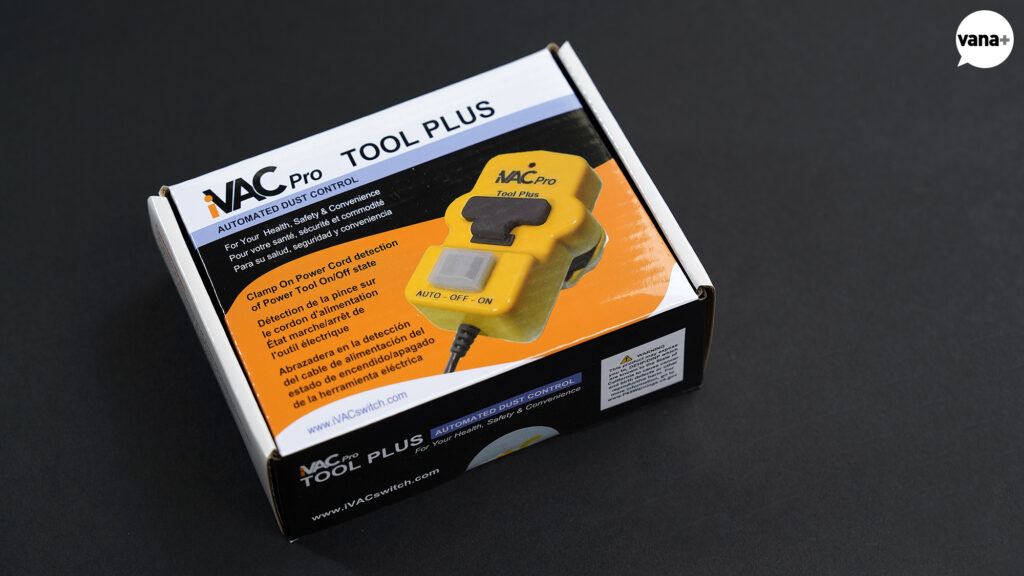
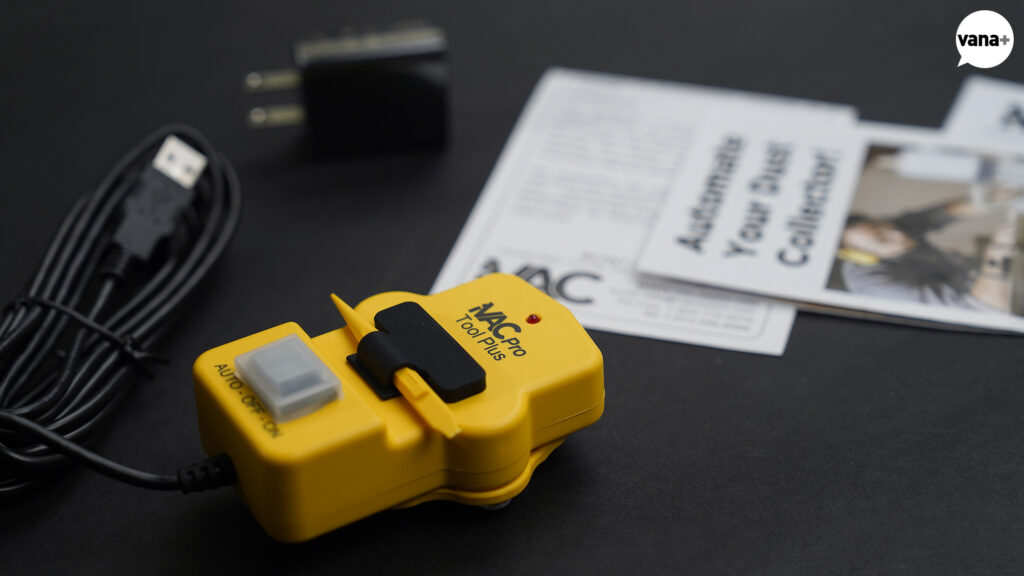
iVAC Pro Tool Plus (TP-NA)
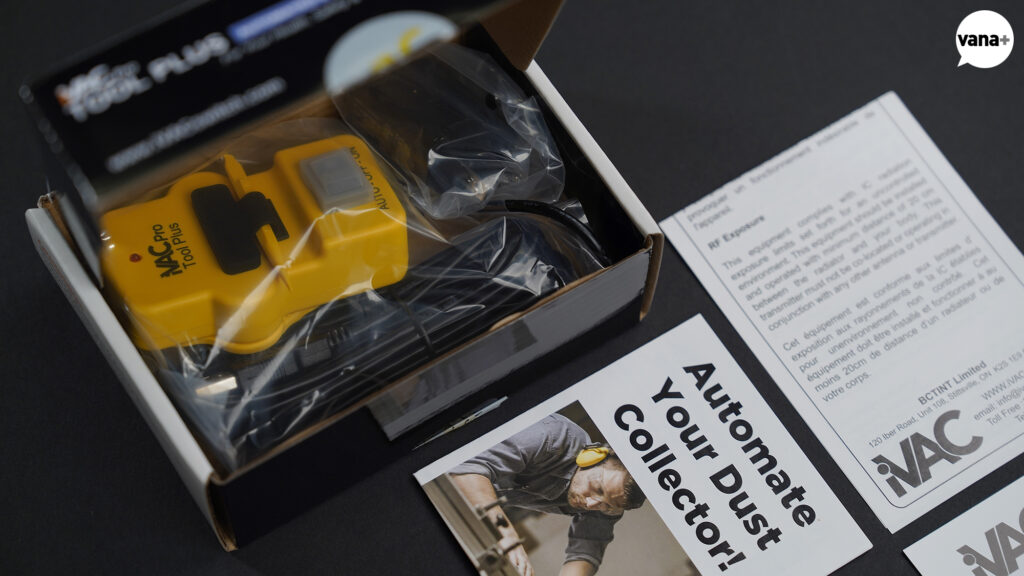
The iVAC Pro Tool Plus detects whether a machine is operating.
Sensors of this kind often need to be wired directly into a machine’s electrical system. If the machines use different voltages or draw different amounts of current, each one may require separate configuration. The thought of creating such a complicated electrical circuit was daunting.
This product, however, only needs to be lightly clamped around the machine’s power cable. It detects whether current is flowing by sensing the Magnetic Field around the cable.
I particularly liked the fact that it does not interfere with the machine’s own electrical circuit.
In the diagram at the beginning of this chapter, the yellow Current Sensor positions indicate where the Tool Plus units will be installed.
① Band Saw
③ Jointer
⑤ Planer
One will be attached to the power cable of each machine.
The iVAC Pro system uses a System Address and Tool Address to distinguish between its devices. These addresses are configured manually using the DIP Switches on each Tool Plus and Blast Gate.
For example, if the entire dust collection system at atelier summer is designated System A and the numbers already shown in the diagram are used as the Tool Addresses, the configuration would be:
① Band Saw — A1
② Wood Lathe — A2
③ Jointer — A3
④ Drill Press / Sander — A4
⑤ Planer — A5
When a Tool Plus detects current flowing through its power cable, it transmits a wireless signal containing its System Address and Tool Address.
The Blast Gates belonging to the same system respond to that signal by opening the required duct and closing the unused ones. The MSC receives the same signal and starts the dust collector.
At first, I assumed that the Tool Plus sent a signal to the MSC and that the MSC then controlled each Blast Gate.
That was not how it worked.
Each device receives the same wireless signal and performs its own assigned role according to its preconfigured address.
iVAC also provides an “Always Open” function that keeps one Blast Gate open even when all the machines are switched off. It serves as a safety measure to prevent the dust collector from operating while every duct is closed. Using Tool Address 1, one gate can be configured to remain open by default.
I had numbered the positions from 1 to 5 on the diagram without giving it much thought. Before using those numbers directly as the Tool Addresses, I may need to reconsider which gate would be the most appropriate one to assign as number 1 and leave open by default.
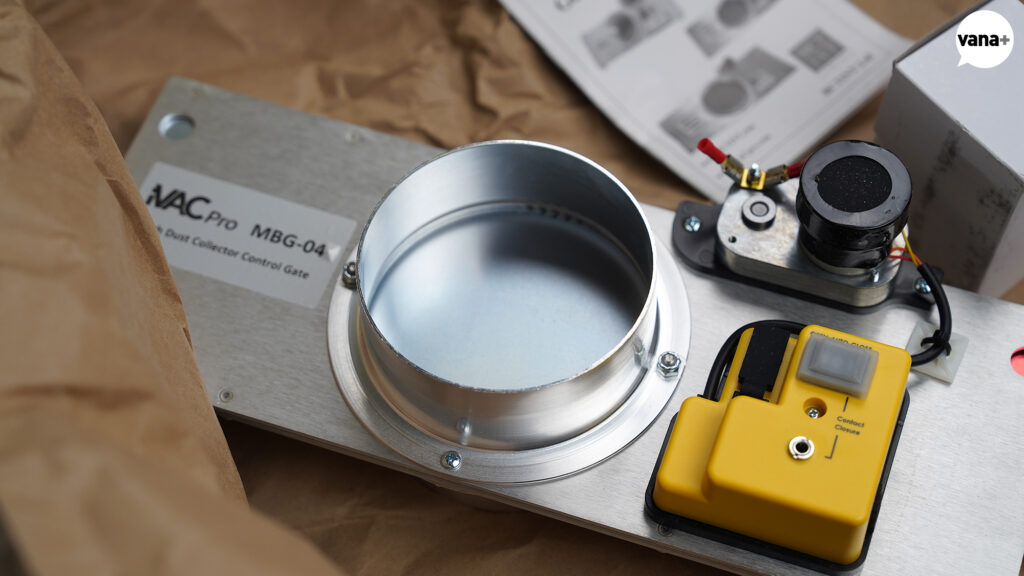
iVAC Pro 4″ Metal Blast Gate (MBG-04-NA)
The iVAC Pro 4″ Metal Blast Gate is the device that physically opens and closes the dust collection duct.
A plastic version was also available for less than half the price. But because these devices would operate repeatedly over a long period in the workshop, I chose the metal version for its durability.
I needed five in total.
One will be installed at each of the green positions shown in the diagram. As described earlier, each gate will be assigned the System Address and Tool Address corresponding to its line.
A slide inside the unit physically moves to open and close the duct. According to iVAC, it also has a Self-Cleaning design intended for an environment where wood dust and sawdust can easily become trapped.
The front also includes an input terminal for connecting a separate wired switch, allowing the gate to be operated directly.
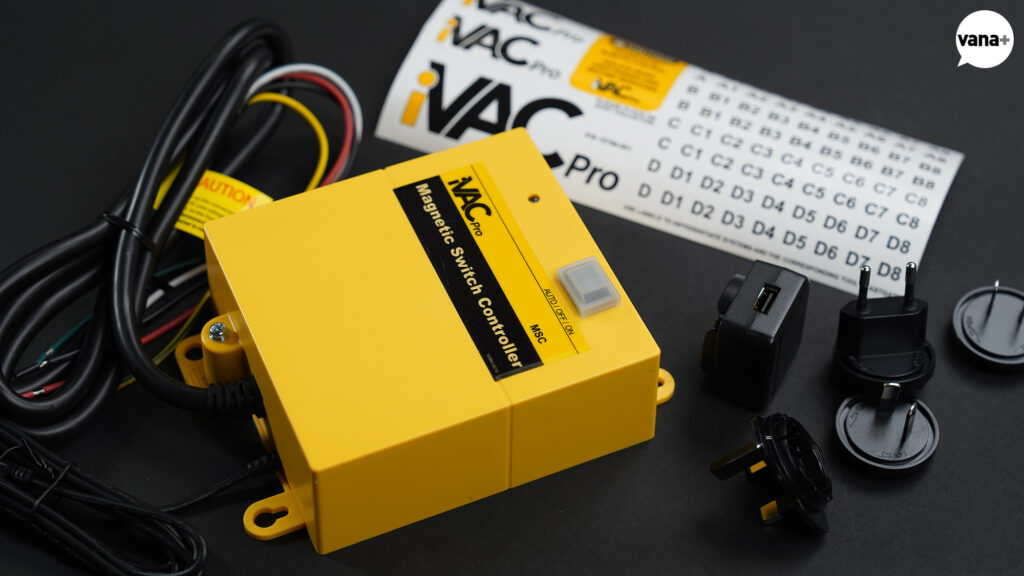
iVAC Pro Magnetic Switch Controller (MSC)
The iVAC Pro Magnetic Switch Controller connects the iVAC system to the dust collector.
As the name suggests, it is designed to control a dust collector equipped with a Magnetic Switch.
The MSC does not directly switch the large motor load of the dust collector on and off. Instead, it connects to the dust collector’s existing START/STOP control circuit and operates in place of its buttons.
The official wiring instructions specify the use of the START circuit’s NO (Normally Open) contact and the STOP circuit’s NC (Normally Closed) contact.
When it receives an operating signal from a Tool Plus or Remote with the same System Address, it starts the dust collector. Once the final machine has stopped, it waits for the configured delay and then shuts the dust collector down.
It is more accurate to think of the MSC as the device connecting the iVAC system to the dust collector than as a central controller directing each Blast Gate individually.
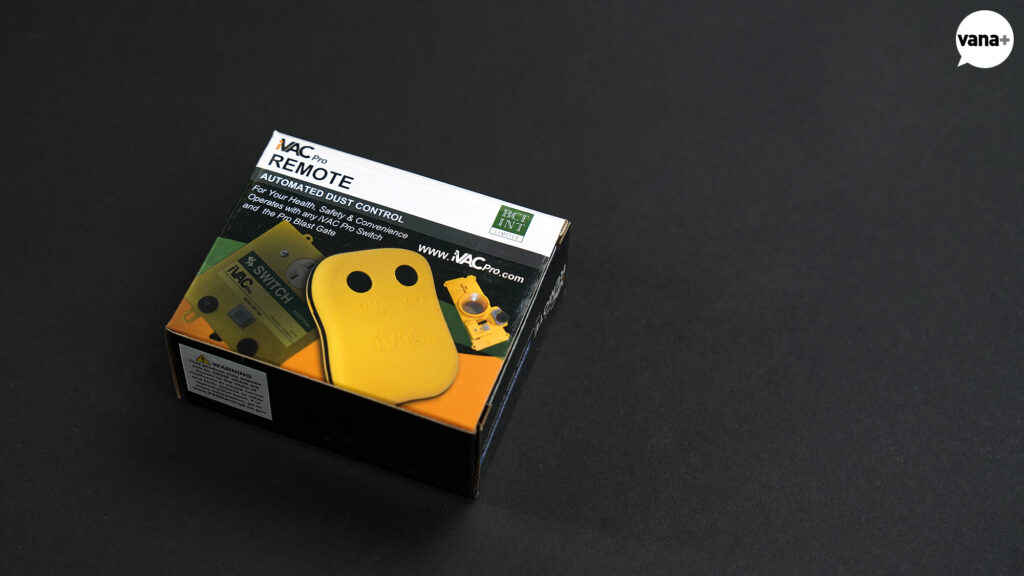
iVAC Pro Remote (R115240NA)
I bought two iVAC Pro Remotes for the two lines that would not use automatic detection: ② Wood Lathe and ④ Drill Press / Sander.
This was not the original plan.
Each Blast Gate has an input for a wired external switch, allowing the gate to be opened and closed directly. My initial idea, as shown in the diagram, was to install a large button on each workbench and operate the gates manually. I had even purchased two aluminum buttons for that purpose.
But when I began preparing for installation, it was not entirely clear what type of switch needed to be connected.
After checking, I found that the officially supported wired control method used by iVAC is a latching Toggle Switch.
I could have connected the buttons I had already purchased to an actual gate and tested whether they could be made to work. But drilling holes into the workbenches and permanently installing buttons before the full dust collection system had even been assembled felt far too premature.
So I changed the plan and decided to use the iVAC Remote, the officially supported method of manual control.
It already has separate ON and OFF buttons and connects wirelessly to the existing iVAC system. There is no need to work out additional wiring or determine how the switching mechanism should operate.
I can simply mount one Remote on workbench ② and another on workbench ④.
There is, however, one serious problem.
This remote is astonishingly ugly.
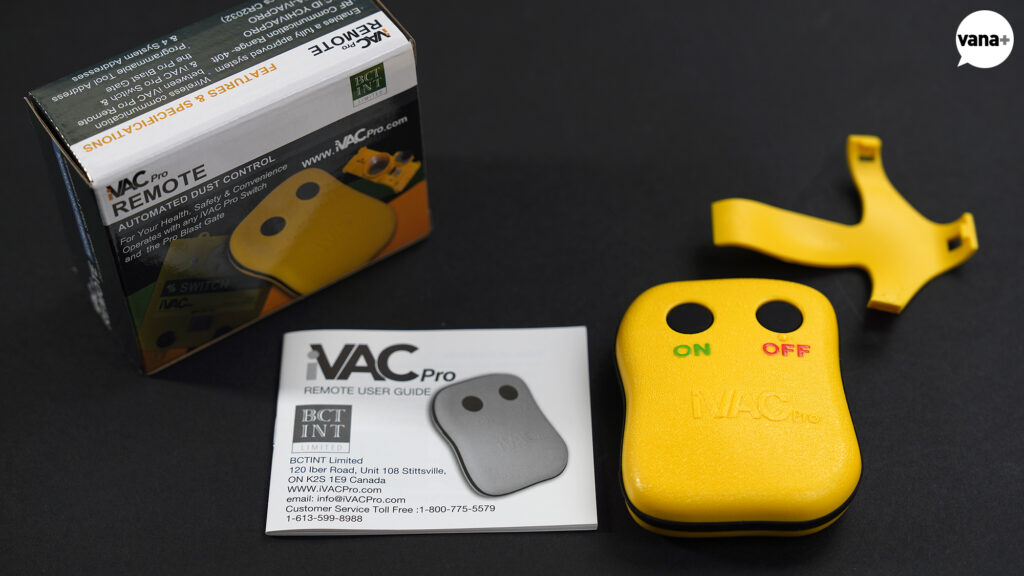
Perhaps I have become too demanding after seeing so many well-designed products in recent years, but the design of the iVAC products is almost beyond discussion.
At least the other devices possess something that might be described as rugged, mechanical charm. This remote is simply terrible.
It is so conspicuous and unattractive that, at the very least, I probably will not lose it.
The appearance is not the only problem. The actual control buttons are also much too small to press comfortably while working.
My plan is therefore to retain the internal circuitry and wireless function while replacing only the enclosure.
I will add two large ON and OFF buttons, design a simple rectangular case, print it with a 3D printer, and mount it permanently on each workbench.
The proven iVAC control system will remain intact. I will only redesign the part I physically interact with.
For now, I have purchased both Remotes.
Modeling and producing their new cases remains another task for later.
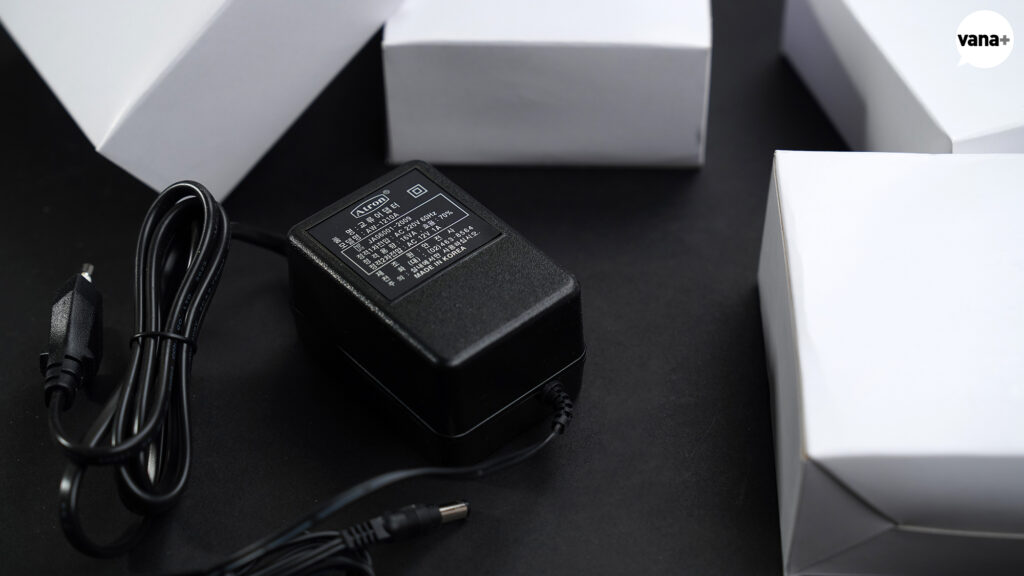
Atron AC Adapter (AC 12V 1A / 220V 60Hz)
I also purchased separate power adapters for the iVAC Pro Blast Gates.
The supplied adapters were made for North American electrical standards, so I needed replacements suitable for use in Korea.
I am recording the exact specification here so that I do not confuse them with other adapters later.
All the necessary devices had now been acquired, and I understood how each of them was supposed to work.
All that remained was to install and connect them.
Then another unexpected problem emerged.
It concerned the connection between the Laguna C|Flux:3, which will serve as the main dust collector at atelier summer, and the iVAC MSC.
At first, I did not think there would be a problem.
The MSC is specifically designed to automate dust collectors that use a Magnetic Switch. The official iVAC manual explains how to connect it using the START circuit’s NO contact and the STOP circuit’s NC contact. It even includes a general example for a three-phase dust collector.
But when I checked Laguna’s official documentation, it stated that external control systems such as iVAC were not supported on the C|Flux. Using one would require bypassing the existing Factory Switch.
Furthermore, the North American C|Flux:3 models covered by the available documentation use a different electrical specification from the three-phase model I own.
I asked the electrician to join me, and we opened the dust collector’s electrical compartment to inspect it directly.
Behind the START/STOP buttons were contact blocks marked NO and NC. On the surface, they appeared similar to the arrangement required by the MSC.
But looking similar and being safe to connect are two entirely different things.
We first need to determine the actual voltage and operating method of the START and STOP circuits, whether they use AC or DC, and which signal or contact controls the Magnetic Contactor.
I therefore decided to examine the actual C|Flux:3 circuit with the electrician before making any connections.
There is no reason to destroy the dust collector while trying to automate it.
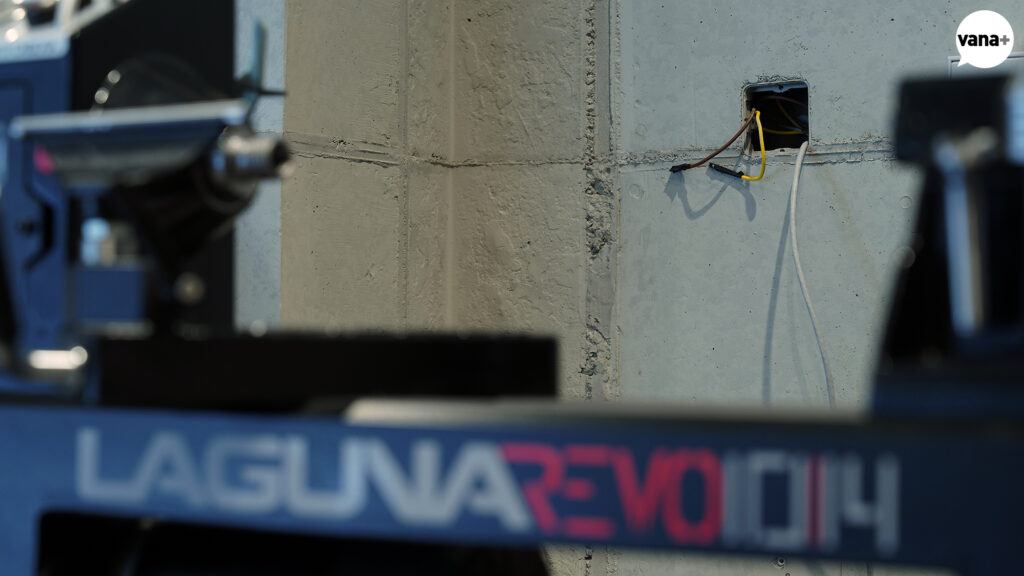
The dashboard will be mounted near this point.
With installations of this kind, the usual problem is discovering that a necessary cable was never installed.
Fortunately, because the dust collector’s basement location had been planned in advance, I had already installed UTP cable between the first floor and the basement for iVAC control and status monitoring.
Once the actual circuit of the C|Flux:3 has been examined, some of those wires will be used for iVAC control. The remaining wires will carry the dust collector’s operating status back to the first floor.
The fact that the iVAC system has sent a command to start the dust collector is not the same as knowing that the dust collector is actually running.
That distinction matters when the machine itself is hidden one floor below.
So I decided to create another way to verify its real operating state from the first floor.
That is the subject of the next chapter.
MONITORING THE HIDDEN DUST COLLECTOR